
Build clean, GA4-ready campaign URLs in seconds with our free UTM builder. Add source, medium and campaign, save your presets, and copy perfectly tagged tracking links — so you finally know which channel drives results.
Applies the source, medium & campaign above to every link. Paste one destination URL per line — perfect for tagging a whole campaign in one go.
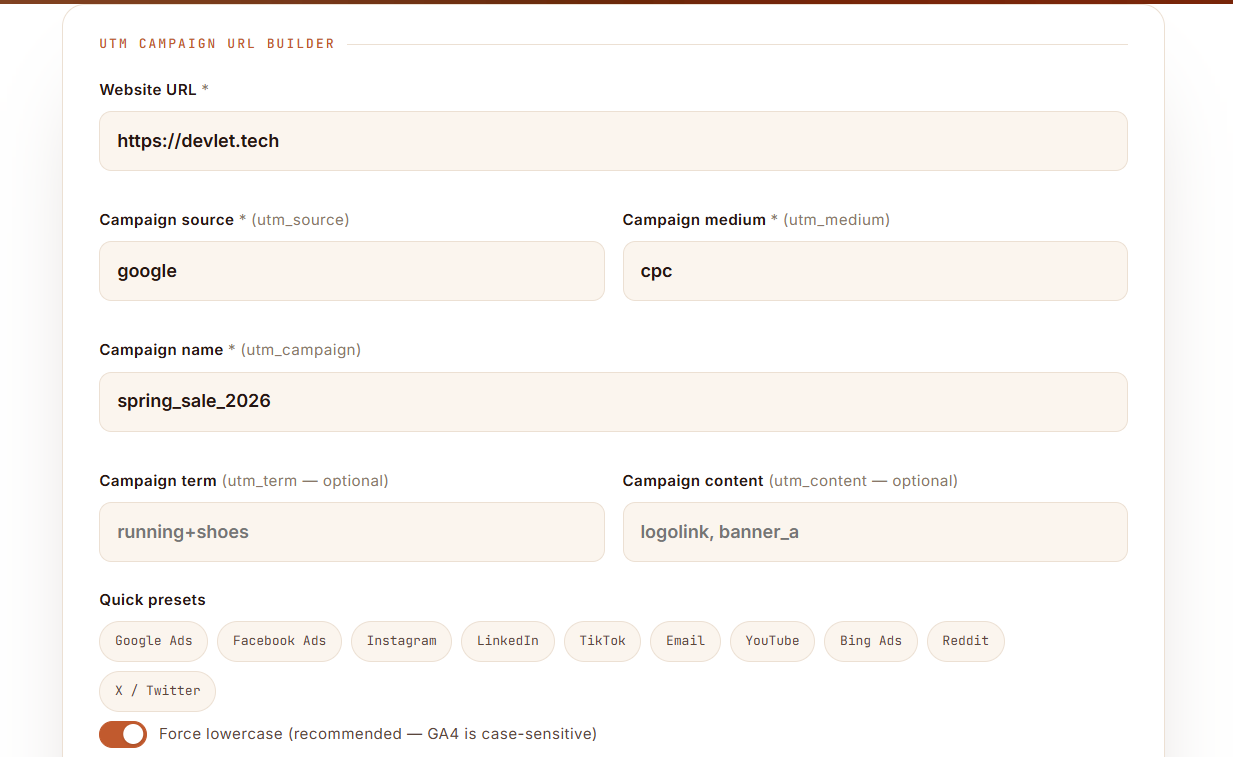
Fill in your source, medium and campaign, tap a preset, and copy a perfectly tagged, lowercase, GA4-ready link — or bulk-tag a whole campaign at once.
Turn any link into a tracked campaign URL in four steps — and see exactly which source, medium and campaign drove every click in Google Analytics.
Drop in the landing page you're linking to — a product page, blog post, or homepage.
Fill in source, medium and campaign (or tap a preset). The tagged link assembles live as you type.
One click copies a clean, lowercase, GA4-ready URL. Grab the QR code for print and offline campaigns.
Your tagged traffic shows up under Traffic acquisition, split by exactly the source, medium and campaign you set.
A UTM builder — also called a UTM link generator or campaign URL builder — adds small tracking tags to the end of a link so analytics tools know exactly where a visitor came from. Without them, most of your traffic gets lumped into vague buckets like "direct" or "referral", and you can't prove which campaign actually worked — or whether it was profitable (that's where our free ROAS calculator comes in).
UTM stands for Urchin Tracking Module. When someone clicks a tagged link, Google Analytics reads those tags and files the visit under the precise source, medium and campaign you defined — turning guesswork into clean, comparable data. New to this? Read our full guide on what UTM parameters are.
Our Google Analytics UTM builder supports all five standard parameters. Three are required for clean tracking; two are optional but powerful.
Keep your values consistent and lowercase — GA4 treats "Facebook" and "facebook" as two different sources, which quietly splits your data. Our UTM code generator enforces that for you automatically.
The #1 cause of messy analytics is inconsistent tagging. Copy these standard values so every campaign lines up in GA4.
| Channel | utm_source | utm_medium | Example use |
|---|---|---|---|
| Google Ads | google | cpc | Paid search ads |
| Facebook / Meta Ads | facebook | paid-social | Paid social campaigns |
| Organic social post | facebook | social | Unpaid page posts |
| Email newsletter | newsletter | email | Broadcasts & digests |
| LinkedIn Ads | linkedin | paid-social | B2B lead campaigns |
| YouTube | youtube | video | Video description links |
| Affiliate / partner | partnername | affiliate | Referral partnerships |
| QR code (print) | flyer | offline | Posters, packaging, events |
A campaign URL builder only helps if you use it consistently. The single biggest mistake is inconsistent naming — "FB", "fb", "facebook" and "Facebook" become four separate sources in your reports, making every campaign impossible to compare.
The second biggest mistake is tagging internal links — links between pages on your own site. Doing so resets the visitor's session and overwrites the real source that brought them in, corrupting your attribution. Only ever tag links coming from outside your site. Google's Campaign URL documentation covers this in detail.
Once your links are tagged, make sure the pages they point to actually convert — a fast, well-optimized landing page turns those clicks into customers. Test yours with our free website speed test and preview how it looks in search with the SERP snippet preview. Need it all handled? Devlet's team sets up tracking, analytics and campaigns end to end.
Tagging links is step one. The payoff is clean attribution — knowing which campaigns earn revenue, not just clicks.
Once someone clicks a tagged link, GA4 records the source, medium and campaign against that session. You'll find the data under Reports → Acquisition → Traffic acquisition, where you can break every metric down by Session source / medium and Session campaign.
Direct answer: UTM parameters populate the source, medium and campaign dimensions in GA4's Traffic acquisition and Conversions reports — so you can attribute leads and sales to the exact campaign that produced them.
Tie that to revenue and you can calculate true return on ad spend — pair this builder with our ROAS calculator to see which tagged campaigns are actually profitable.
Consistent UTMs are the foundation of every trustworthy marketing dashboard. Without them, GA4 guesses — and paid, social and email traffic quietly collapses into "direct" or "referral", hiding what's really working.
If you'd rather have this built and maintained for you, our analytics & reporting team sets up GA4, campaign tracking and live dashboards, and our search & paid campaign team tags every ad correctly from day one.
The vocabulary behind campaign tracking, without the jargon.
utm_source=google) that tells analytics where a click came from.Everything you need to know about UTM parameters, campaign tracking, and Google Analytics.
Tag every ad across Google, Meta, LinkedIn and TikTok so each campaign's spend and return is measured cleanly in GA4.
Bulk-tag every link in a broadcast at once and prove exactly how much traffic and revenue each send drives.
Enforce one naming convention with presets, save and export campaign links as CSV, and hand clients spotless reports.
The full beginner's guide to each tag and how GA4 reads them.
Turn tagged-campaign data into a real profit picture.
The official reference for UTM parameters and reporting.
External ↗Google's own reference builder for comparison.
External ↗Building an offline campaign? Turn your tagged link into a scannable code with the QR Code Generator by H&U Solutions ↗
Every tool is free — no signup. Build your links here, then measure and optimize with the rest of the suite.
Work out ROAS, break-even ROAS, CPM, CPC, CPA and the budget to hit a revenue goal.
Open tool →Generate valid FAQ, Article & LocalBusiness JSON-LD to win rich results and AI citations.
Open tool →Preview your Google title & description with pixel-accurate truncation before you publish.
Open tool →Check your Core Web Vitals (LCP, INP, CLS) and get plain-English fixes to speed up your site.
Open tool →Get a full SEO, ads & web audit and a clear roadmap from the Devlet team.
Book now →Devlet builds tracking, campaigns and analytics that actually tie spend to revenue. Get a free audit and a clear plan within 24 hours.
Get a free audit →